
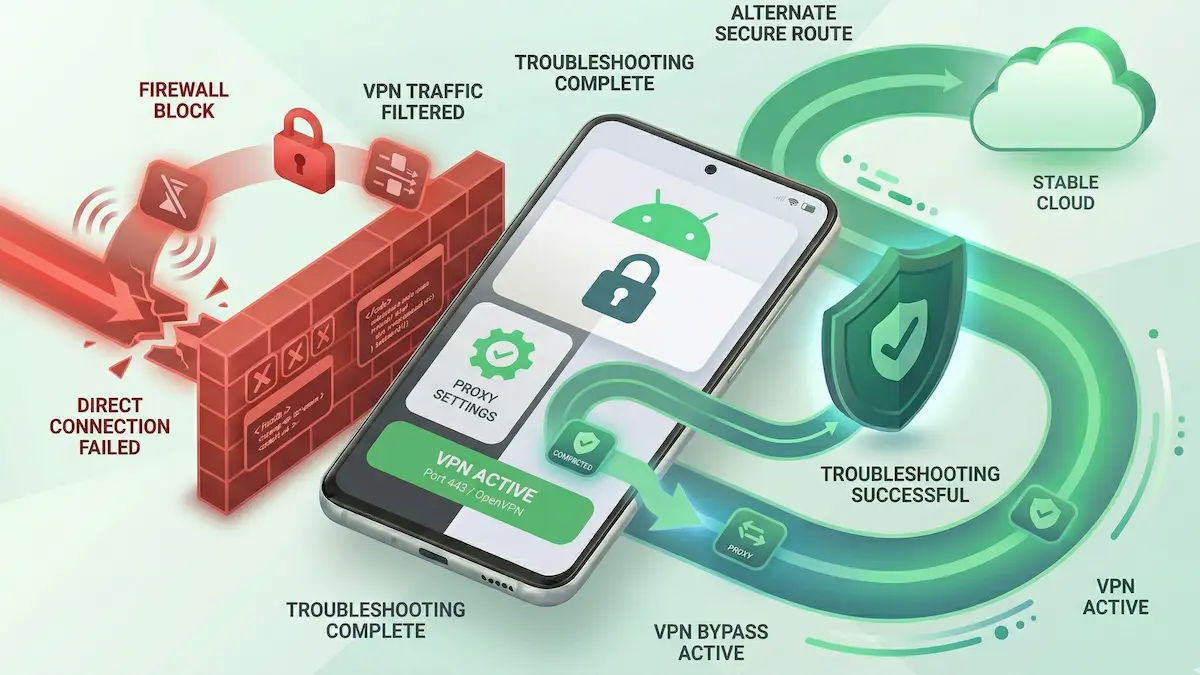
School or Office Wi‑Fi Blocks Your Android VPN: Technical Diagnostics (2026)
Corporate, campus, and other managed Wi‑Fi networks can behave very differently from home internet. If your Android VPN hangs on connecting, repeatedly drops, or appears connected while traffic never really starts, the local network may be interfering with the tunnel.
This does not always mean the same thing. Sometimes the issue is only a login layer or local DNS behavior. Sometimes it is simple port filtering. Sometimes the network policy is strict enough that no ordinary workaround will reliably win.
This guide focuses on practical Android-side diagnostics instead of generic “unblock everything” advice.
Quick Summary
- Do not assume DPI first: clear captive portal or login steps before treating the network as a deep-filtering environment.
- Protocol behavior matters: if a standard protocol fails but another connection method behaves differently elsewhere, the local network may be filtering one traffic pattern more aggressively.
- DNS can also be part of the problem: Private DNS or local DNS enforcement can create a false “VPN is blocked” diagnosis.
- Some policies simply win: if the network is tightly restricted, switching settings may not fully restore access.
Step-by-Step Diagnostics for Android
1. Clear the authentication layer first
Some school or office guest networks still rely on a login page or access confirmation step. If that layer is not cleared, the VPN never gets a fair chance.
The fix: Make sure the network itself is fully usable without the VPN first. If Android VPN lock settings are preventing the login page from loading, clear that deadlock first.
Related guide: Captive Portal Blocked by VPN Lock on Android.
2. Compare behavior across networks
The fastest way to test whether the problem is the local network is to compare the same app and protocol on another connection.
The fix: Test on:
- the school/office Wi‑Fi,
- mobile data,
- and a known-good home Wi‑Fi if possible.
If the issue appears only on the managed Wi‑Fi, the local network is the strongest variable.
3. Try another protocol only after the base test is clear
If one protocol fails on the managed Wi‑Fi but works elsewhere, protocol behavior may matter. But protocol switching only means something after you confirm the issue is not just captive portal or DNS noise.
The fix: Once the network is authenticated and base connectivity is confirmed, compare whether the same situation behaves differently with another available protocol.
Protocol context: WireGuard vs Xray (VLESS/Reality) on Android.
4. Check whether Private DNS is complicating the diagnosis
On managed networks, Android Private DNS can add another layer of failure that looks like a blocked VPN.
The fix: Temporarily disable Private DNS and test again so you can separate DNS conflict from actual tunnel blocking.
Related guide: Fix Private DNS Conflicts with Android VPNs.
5. Distinguish “connects but no traffic” from “never handshakes”
These are not the same class of failure.
- If the VPN never really establishes, the network may be interfering very early.
- If the VPN shows connected but apps still fail, local DNS, captive portal residue, or routing conflicts may still be involved.
Related troubleshooting: VPN Connected But No Internet on Android: Fix Guide.
Practical Expectations
- Not every managed network is beatable: some environments are configured to win by policy, not just by friction.
- A successful workaround on one campus or office does not generalize everywhere: network rules differ.
- Protocol switching helps in some cases, but not all: it is a compatibility tool, not a guarantee.
FAQ
If it works on mobile data but not on school or office Wi‑Fi, what does that tell me?
It strongly suggests the managed Wi‑Fi is the main variable, whether through filtering, DNS handling, or local policy.
Does switching to another protocol always solve school or office Wi‑Fi blocks?
No. It can help in some cases, but some networks are restricted enough that a different protocol still will not restore normal traffic.
How do I know whether this is a DNS issue instead of a blocked VPN?
If the VPN appears connected but apps still hang, test Private DNS and captive-portal state before assuming the tunnel itself is the only problem.
How NimbusVPN Fits
NimbusVPN gives you practical Android controls for testing connection behavior on restrictive networks without forcing one static setup.
- Protocol flexibility: You can compare whether another connection method behaves differently after the base network state is clean.
- Android-first troubleshooting: The app fits real Android scenarios where VPN lock settings, captive portals, and DNS state all matter.
- Routing awareness: Once the network baseline is understood, you can separately test whether app-specific or routing-specific issues remain.