
Speed-first VPN for Android, with privacy by default.
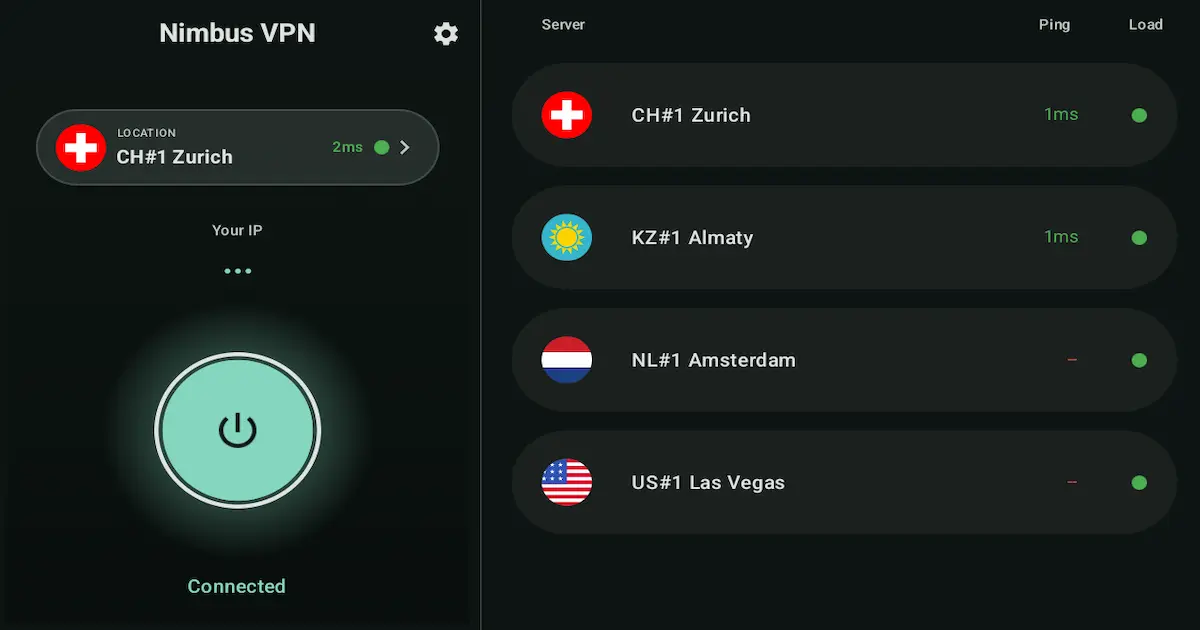
NimbusVPN combines fast routing, modern protocols, and a clean connection flow. Choose your server, connect in seconds, and stay protected.
Free nowNo adsNo subscriptionAndroid TV
NimbusVPN combines fast routing, modern protocols, and a clean connection flow. Choose your server, connect in seconds, and stay protected.
Pages with practical guidance for free usage, split tunneling, Android TV, WireGuard + VLESS/XRay, and kill switch.
Install NimbusVPN, pick a server and protocol, then connect. All NimbusVPN functionality is free and no registration is required.
Free · no ads · no subscriptionChoose which Android apps route through VPN and which stay on your regular connection.
Split tunneling controlsUse NimbusVPN on Android TV for stable, private routing — with the same simple connect flow.
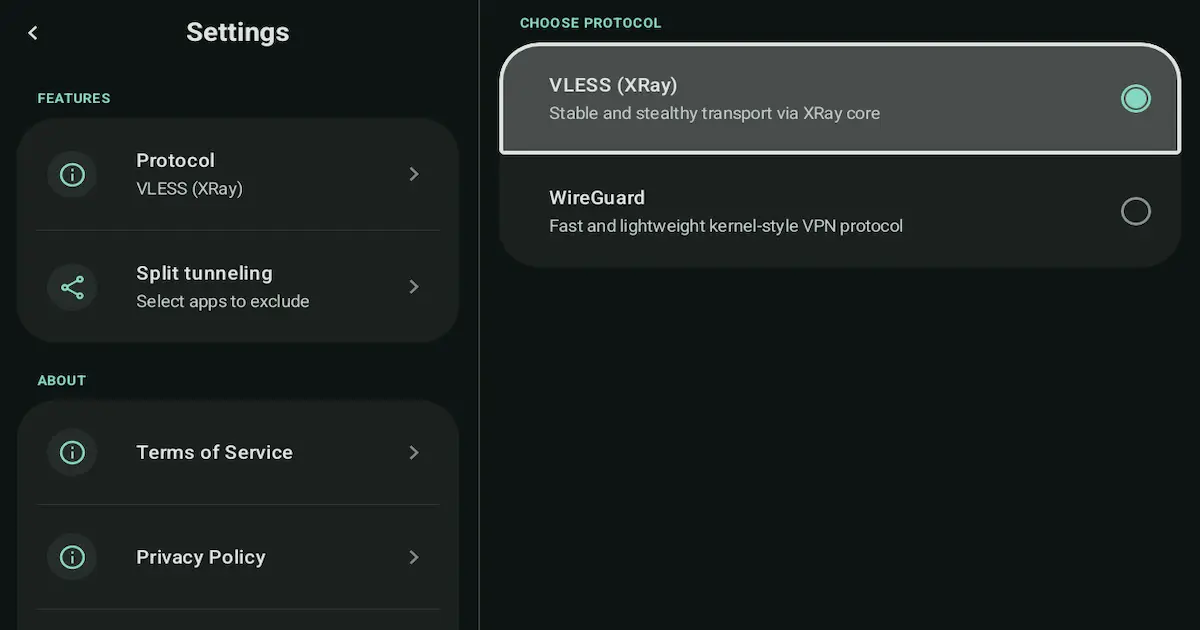
Android TV supportNimbusVPN offers both WireGuard and VLESS/XRay — switch protocols to match your network conditions.
WireGuard + VLESS/XRayNimbusVPN supports kill switch scenarios via Android always-on VPN and block-without-VPN settings.
Kill switch safetyPractical long-form guides for setup, protocol choice, troubleshooting, and app-level routing.
Learn the best VPN settings for Android: protocol choice, server location, split tunneling tips, and practical fixes for everyday use.
Read guideLearn split tunneling on Android with ready presets, simple setup steps, common mistakes, troubleshooting fixes, and protocol tips for 2026.
Read guideFix “VPN connected but no internet” on Android with a calm, step-by-step checklist: DNS, time, Wi-Fi portals, protocols, and app routing fixes.
Read guideTypical connection time
XRay/VLESS + WireGuard
Service availability focus
Connection profiles are optimized for low-latency startup and stable throughput.
All NimbusVPN functionality works without account registration with email and password.
Switch between XRay/VLESS and WireGuard based on your network conditions.
Choose which apps go through VPN and which apps use your regular connection.
Download NimbusVPN on your Android device.
Select a location and choose XRay/VLESS or WireGuard in the app.
NimbusVPN creates tunnel configuration and secures your traffic.
No. NimbusVPN does not require account registration with email and password.
NimbusVPN currently supports XRay/VLESS and WireGuard.
Yes. Split tunneling allows you to include or exclude specific apps.
Install NimbusVPN and connect in seconds with protocol flexibility built in.
Open Google Play